
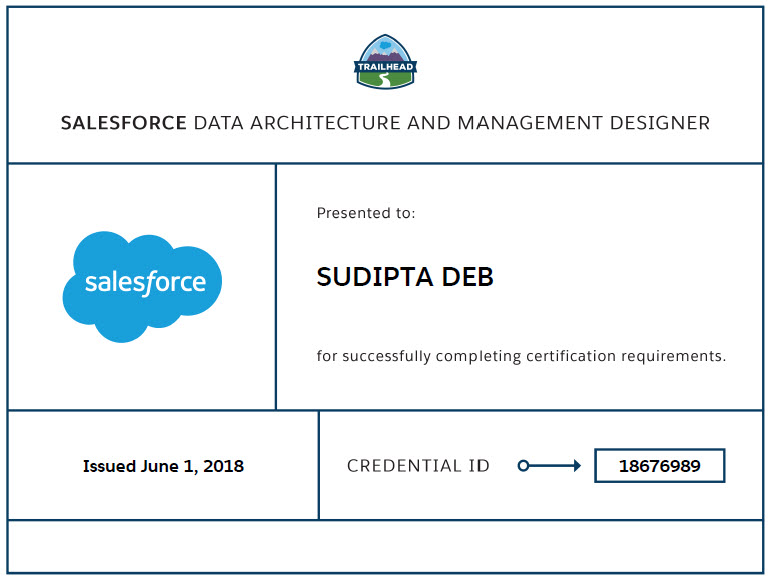
I have cleared my first Salesforce Architect certification – “Data Architecture and Management Designer” on June 1st, 2018. I was dreaming about this certification for quite a long time and finally I am so happy that I am able to clear this one. Here today I am going to share few key tips with you which might help you while you are doing your preparation.
My Strategy:
- I downloaded the study guide and prepared my own notes with my some labels.
- I always try to break the study guide in three labels like –
- I THINK I AM GOOD: This label is for those topics where I personally feel I am good.
- I MIGHT NEED TO LOOK: This is the one where I am some doubts and need to revisit.
- OHH NO: This is the scary one, where I need to focus more.
- Then I started my study with Trailhead. Below are the Trailmixes I followed –
- Architect Journey: Data Architecture and Management
- Certified Data Architecture & Management Designer Exam Trails
- Below are the blog posts from #SalesforceOhana which really helped me.
- Salesforce Certified Data Architecture & Management Designer Exam Tips by Gemma Emmett
- Tips for Passing the Three New Salesforce Architecture Designer Exams by By Lars Malmqvist
- How to Prepare For and PASS Data Architecture and Management Designer Exam by Maciej Jozwiak
Important Topics:
I am writing down the important topics which you need to concentrate for sure. Those who already read the study guide, you should already knew this by now.
- Large Data Volume: This certification is all about large data, so you will get many questions regarding how you will plan data load, extract when dealing with large data. You need to understand the reason of slowness in your query, report, listview etc. The document which you need to digest from top to bottom is this one. Understand the key concepts –
- Ownership Skew – Many records with same owner.
- Lookup Skew – Many child records linked with same parent record. Example: More than 10,000 contacts under the same account.
- Sharing Recalculation – Understand the different scenarios when sharing recalculation will happen.
- Implicit Sharig – Understand different implicit sharing options.
- Upsert ? Update ? Insert ? – Which one to select and why?
- Selective and Non-Selective Queries – Understand the different way to do query optimization
- Custom Index
- LastModifiedDate vs SystemModStamp
- Use of NULL
- PK Chunking
- Skinny Tables: You need to read this document.
- Understand what is Skinny Table and how to enable it.
- Type of fields which can be part pf Skinny Table.
- Understand the limitations like
- What will happen when you add/delete any field which is part of skinny table.
- Which sandbox?
- Bulk API: This is also a very important topic. Understand the below points –
- How Bulk Query Works? Gemma prepared a really good flow diagram here.
- What happens when Bulk API encounters locks? Again thanks to Gemma for such a great diagram here.
- Query Optimizer: You need to understand how to improve the query performance, what is query plan tool and how it can help you to improve the query, what are the indexes Salesforce will create for you and what are the indexes you can create to improve the performance.
- Duplicate Management: Complete this Trailhead module.
- Data.com: Understand how Clean can help you in cleaning the data.
- Different ETL Tools: This is one of the toughest section in the exam. You need to understand –
- How to manage architecture between legacy CRM, Salesforce and ERP Applications.
- How to decide your MDM strategy.
- While integration Salesforce with Non-Salesforce applications –
- What type of relationships you will build (Master-Details, Lookup, External Object etc.)?
- Which data you will bring to Salesforce?
- Which data you will not bring to Salesforce, but just refer using External Object?
- Read the document – Data management key concepts.
- Data Quality and Governance: Read this one and understand 6 steps towards data quality. Read this document as well. There is another good document, you should read – 10 steps to data quality and trusted information.
Good luck my friends. If you have any questions/suggestions/feedback, please let me know.


Very soon this website will be famous amid all blog viewers,
due to it’s nice articles or reviews